AI Clone
AI Clone
Building a Conversational Layer for My Portfolio
Building a Conversational Layer for My Portfolio
Summary
Summary
The goal was not to create an “AI version of me” that sounded clever. The goal was to design a gentle conversational layer that helps people explore my work, thinking, interests, and decision-making in a more natural way.
The goal was not to create an “AI version of me” that sounded clever. The goal was to design a gentle conversational layer that helps people explore my work, thinking, interests, and decision-making in a more natural way.
Context
Context
My portfolio already had the usual ingredients: case studies, project pages, resume links, and selected work. But I kept thinking about a common problem with portfolios: people rarely experience them in a linear way.
A hiring manager might want to know how I make decisions. A founder might care about how I handle ambiguity. Another designer might be curious about my tools, process, or mistakes. A static portfolio can show all of that, but it still asks visitors to do the work of finding the right signal.
My portfolio already had the usual ingredients: case studies, project pages, resume links, and selected work. But I kept thinking about a common problem with portfolios: people rarely experience them in a linear way.
A hiring manager might want to know how I make decisions. A founder might care about how I handle ambiguity. Another designer might be curious about my tools, process, or mistakes. A static portfolio can show all of that, but it still asks visitors to do the work of finding the right signal.
The Problem
The Problem
Most portfolios answer questions only if the visitor knows where to look.
That creates a few issues:
Important project details stay buried inside long case studies.
Visitors with different priorities all get the same browsing experience.
My work can look like finished screens instead of a series of decisions, constraints, tradeoffs, and lessons.
Most portfolios answer questions only if the visitor knows where to look.
That creates a few issues:
Important project details stay buried inside long case studies.
Visitors with different priorities all get the same browsing experience.
My work can look like finished screens instead of a series of decisions, constraints, tradeoffs, and lessons.
I wanted the assistant to help visitors ask things like:
I wanted the assistant to help visitors ask things like:
“Walk me through your strongest project.”
“How do you use AI in your design process?”
“What kind of problems do you enjoy solving?”
“Where did you make a difficult tradeoff?”
“What are you still improving?”
“Walk me through your strongest project.”
“How do you use AI in your design process?”
“What kind of problems do you enjoy solving?”
“Where did you make a difficult tradeoff?”
“What are you still improving?”
The experience had to feel lightweight, useful, and human.
The experience had to feel lightweight, useful, and human.
Starting Point
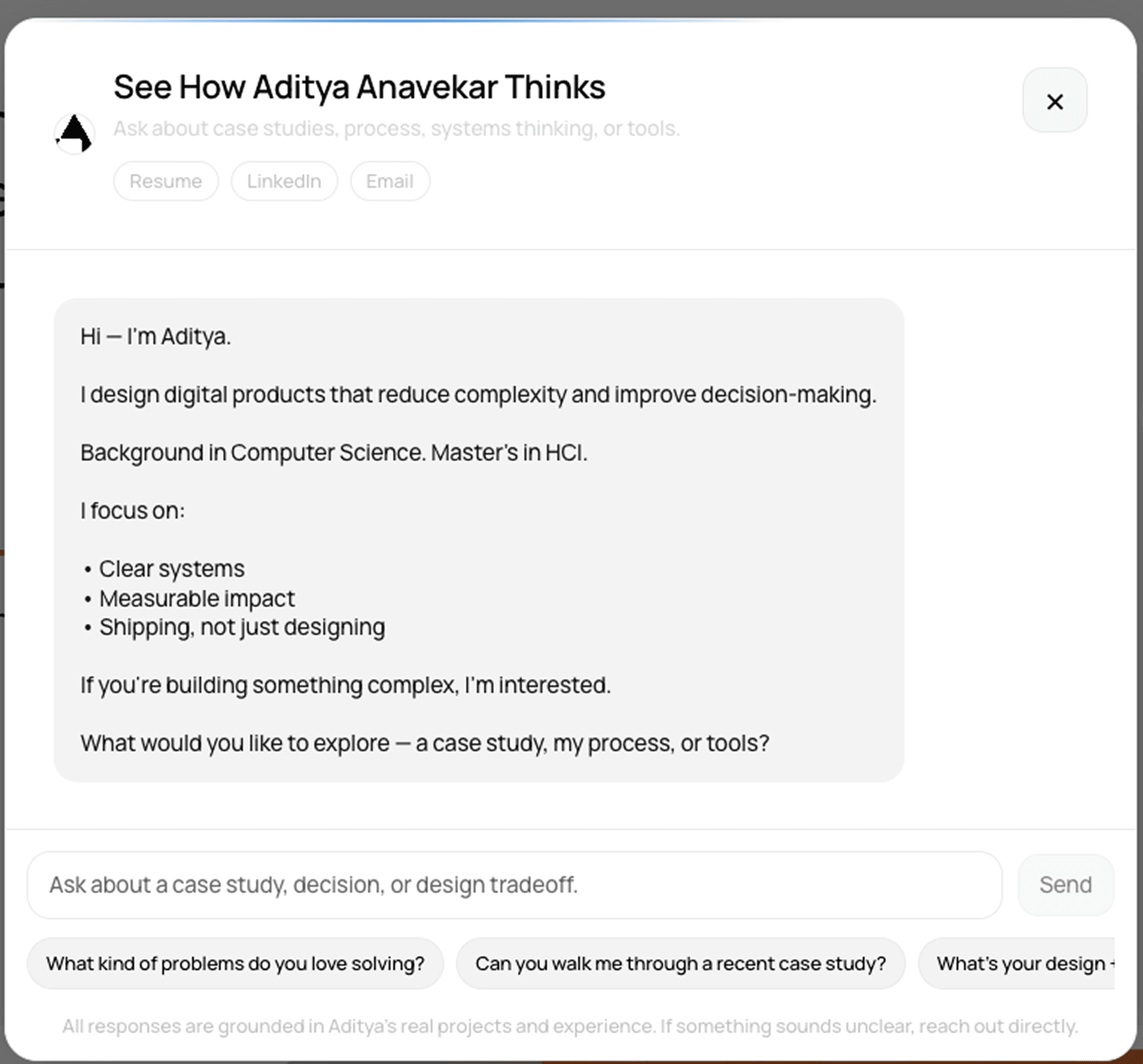
The first version was simple: a chat window connected to a backend.It worked technically, but it did not feel designed.
The assistant opened with a generic introduction, the suggestions felt like a flat list of prompts, and the fallback answers were too broad.
It could answer basic questions, but it did not guide the conversation. It also did not do enough to show the depth behind my projects.
Starting Point
The first version was simple: a chat window connected to a backend.It worked technically, but it did not feel designed.
The assistant opened with a generic introduction, the suggestions felt like a flat list of prompts, and the fallback answers were too broad.
It could answer basic questions, but it did not guide the conversation. It also did not do enough to show the depth behind my projects.
Conversation Choreography
Conversation Choreography
Once the UI felt good, I focused on the flow of the conversation. I designed the interaction in states:
Once the UI felt good, I focused on the flow of the conversation. I designed the interaction in states:
Welcome state
Welcome state
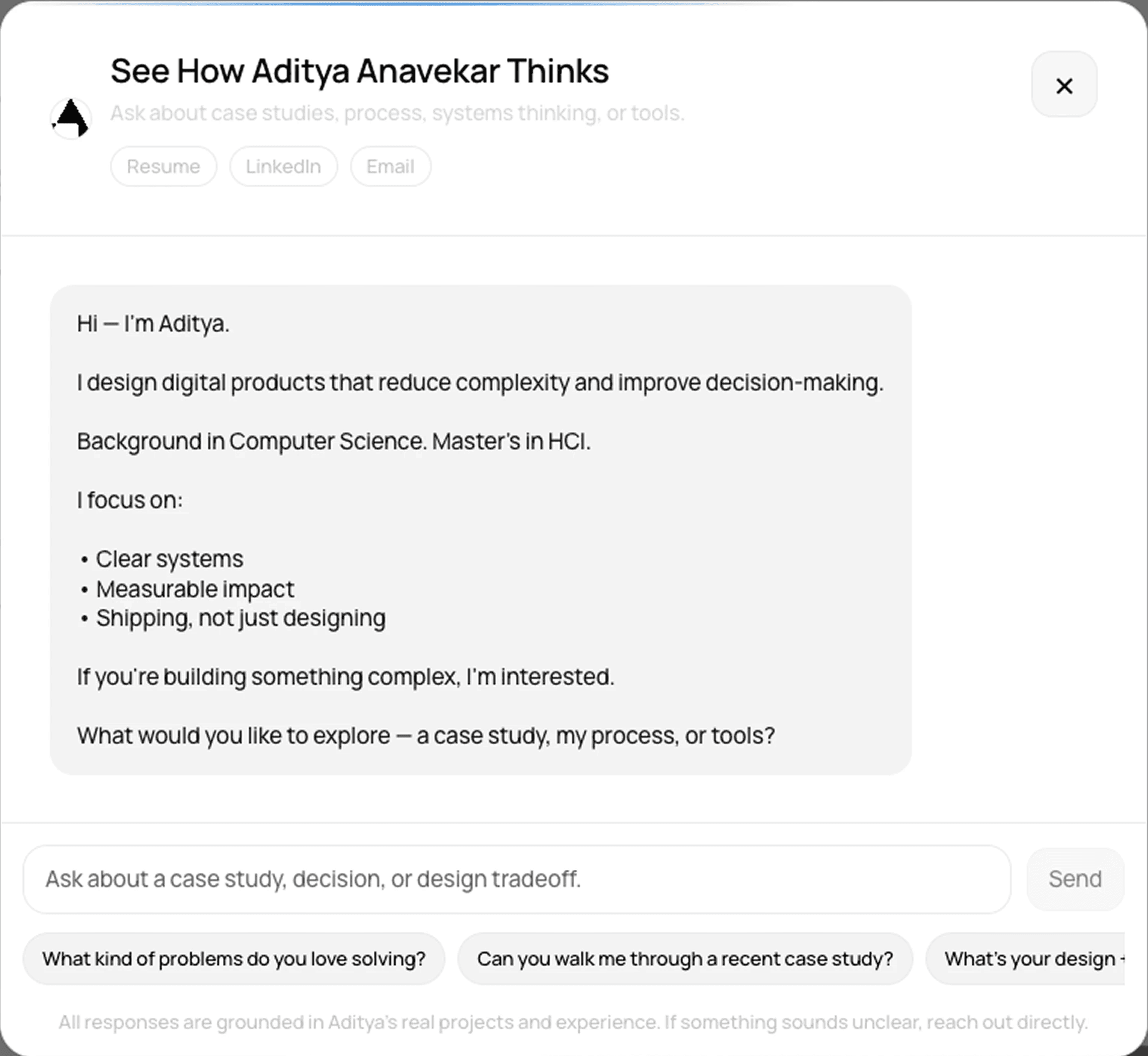
The assistant opens with the illustration and a short welcome bubble. Suggested questions sit near the bottom, making the first interaction easy.
The assistant opens with the illustration and a short welcome bubble. Suggested questions sit near the bottom, making the first interaction easy.
Thinking state
Thinking state
A new illustration appears near the thinking bubble. The text changes while the response is loading, giving the assistant a more thoughtful rhythm.
A new illustration appears near the thinking bubble. The text changes while the response is loading, giving the assistant a more thoughtful rhythm.
Answer state
Answer state
When the response arrives, the illustration stays only with the latest assistant response. This keeps the visual system clean and avoids clutter as the conversation grows.
When the response arrives, the illustration stays only with the latest assistant response. This keeps the visual system clean and avoids clutter as the conversation grows.
Follow-up state
Follow-up state
Suggested questions update based on the answer. They can collapse and expand like an accordion, so the interface stays focused while still offering guidance.
Suggested questions update based on the answer. They can collapse and expand like an accordion, so the interface stays focused while still offering guidance.
System Thinking
Sticky composer and suggestions
Disabled buttons during loading
Scroll-to-bottom behavior
Thinking states
Local fallback answers
Suggestion accordion
Project-linked response formatting
Sticky composer and suggestions
Disabled buttons during loading
Scroll-to-bottom behavior
Thinking states
Local fallback answers
Suggestion accordion
Project-linked response formatting
Frontend
Frontend
A structured knowledge base
Intent detection
Gemini API response generation
Recent-response context to reduce repetition
Project-aware retrieval
Link-supported answers
A structured knowledge base
Intent detection
Gemini API response generation
Recent-response context to reduce repetition
Project-aware retrieval
Link-supported answers
Backend
Backend
The API contract stays simple. The frontend sends messages and conversation context. The backend returns the assistant response, conversation ID, and suggested follow-up questions.
This helped me practice not just UI design, but also API thinking: what the interface needs, what the backend should own, and how the system should behave when something fails.
The API contract stays simple. The frontend sends messages and conversation context. The backend returns the assistant response, conversation ID, and suggested follow-up questions.
This helped me practice not just UI design, but also API thinking: what the interface needs, what the backend should own, and how the system should behave when something fails.
Tools Used
Tools Used
I used Figma to design the initial interface and interaction states.
I used Codex heavily to turn the design into a Framer TSX component, implement the backend behavior, refine the response model, and debug the interaction logic.
I used Gemini through the backend to generate richer answers from the portfolio knowledge base.
This project became a useful exercise in connecting design systems thinking with AI system behavior: how prompts, knowledge structure, UI states, and API contracts all affect the final experience.
I used Figma to design the initial interface and interaction states.
I used Codex heavily to turn the design into a Framer TSX component, implement the backend behavior, refine the response model, and debug the interaction logic.
I used Gemini through the backend to generate richer answers from the portfolio knowledge base.
This project became a useful exercise in connecting design systems thinking with AI system behavior: how prompts, knowledge structure, UI states, and API contracts all affect the final experience.
Outcomes
Outcomes
The final version is a conversational assistant that helps visitors explore my portfolio through questions instead of only navigation.
The final version is a conversational assistant that helps visitors explore my portfolio through questions instead of only navigation.
More importantly, it changed how I think about conversational AI. A good AI interface is not just a smart model inside a chat window. It needs structure, transparency, control, fallback behavior, and interaction design.
The assistant is still evolving, but the project helped me turn my portfolio into something more interactive, more personal, and more useful.
More importantly, it changed how I think about conversational AI. A good AI interface is not just a smart model inside a chat window. It needs structure, transparency, control, fallback behavior, and interaction design.
The assistant is still evolving, but the project helped me turn my portfolio into something more interactive, more personal, and more useful.
What I’d Improve Next
What I’d Improve Next
Next, I want to make the assistant more reflective and controllable. The bigger goal is to make the portfolio feel less like a place people visit once, and more like a product they can interact with.
Next, I want to make the assistant more reflective and controllable. The bigger goal is to make the portfolio feel less like a place people visit once, and more like a product they can interact with.