Dropline
Dropline
A native macOS utility for a small but recurring workflow tax
A native macOS utility for a small but recurring workflow tax
Summary
Summary
Dropline watches a user-selected folder for incoming image files, converts them locally into JPEGs, and saves them into a destination folder the user controls. It runs quietly in the background, avoids unnecessary complexity, and keeps the entire workflow local and privacy-first.
Dropline watches a user-selected folder for incoming image files, converts them locally into JPEGs, and saves them into a destination folder the user controls. It runs quietly in the background, avoids unnecessary complexity, and keeps the entire workflow local and privacy-first.
Context
Context
The Problem
The Problem
The problem was workflow friction.
Converting image formats is easy to dismiss because it is not dramatic. But repeated manual tasks are often where the best utility products come from. In this case, the friction showed up in a familiar sequence:
receive file -> locate file -> convert file -> save new version -> continue with the real task
The problem was workflow friction.
Converting image formats is easy to dismiss because it is not dramatic. But repeated manual tasks are often where the best utility products come from. In this case, the friction showed up in a familiar sequence:
receive file -> locate file -> convert file -> save new version -> continue with the real task
That flow is small, but it adds cognitive and operational overhead every time it happens. I wanted to remove that step entirely.
That flow is small, but it adds cognitive and operational overhead every time it happens. I wanted to remove that step entirely.
The product idea
The product idea
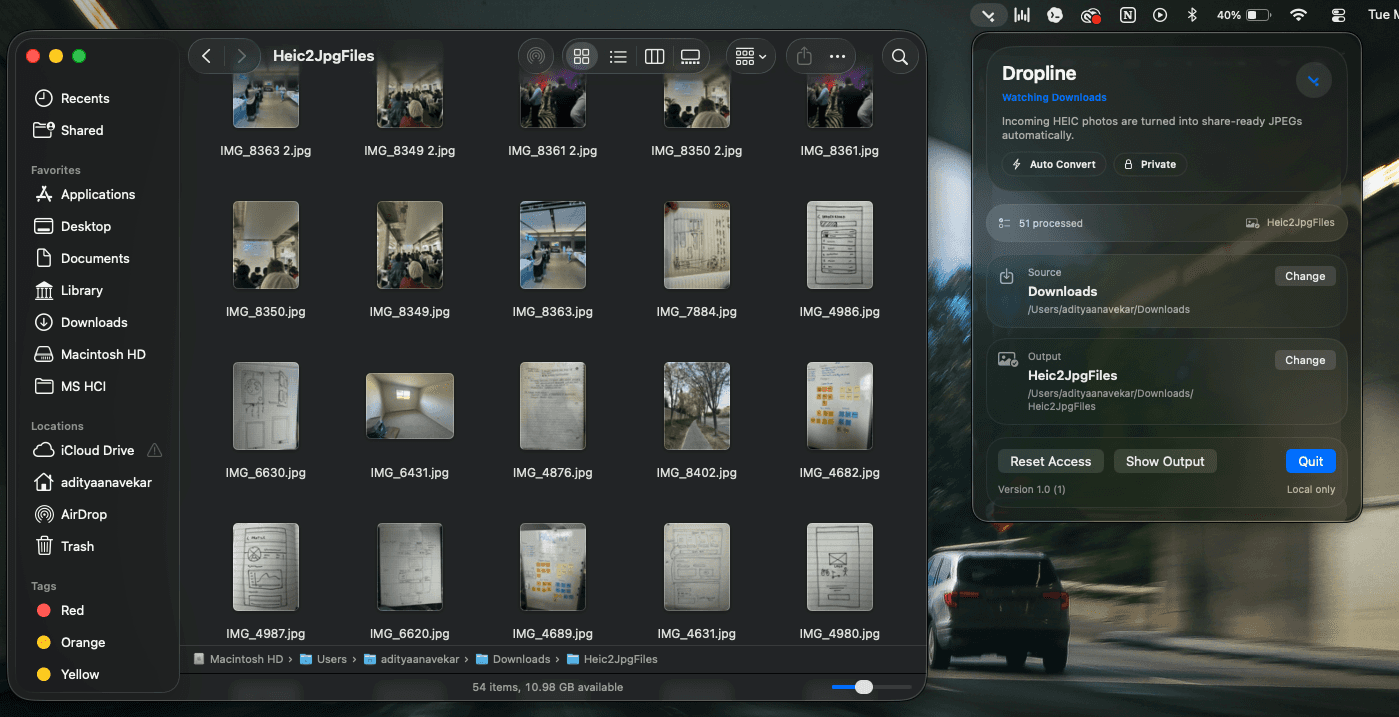
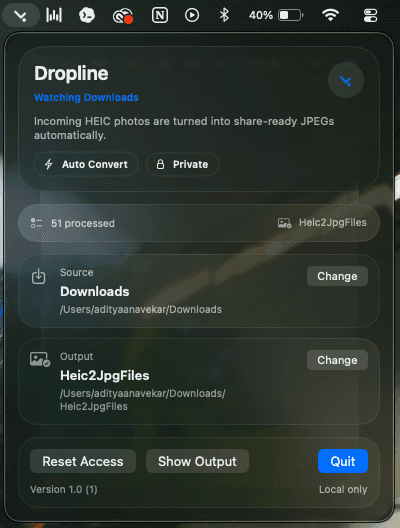
Instead of building another export tool or file manager, I designed Dropline as a lightweight menu bar utility that disappears once it is configured.
The interaction model is intentionally simple:
choose a source folder
choose an output folder
let the app monitor and convert new HEIC or HEIF files automatically
Instead of building another export tool or file manager, I designed Dropline as a lightweight menu bar utility that disappears once it is configured.
The interaction model is intentionally simple:
choose a source folder
choose an output folder
let the app monitor and convert new HEIC or HEIF files automatically
This decision shaped the whole product. I did not want a dashboard, a media library, or a heavy interface. I wanted a tool that quietly removes one recurring task and gets out of the way.
This decision shaped the whole product. I did not want a dashboard, a media library, or a heavy interface. I wanted a tool that quietly removes one recurring task and gets out of the way.
What I built
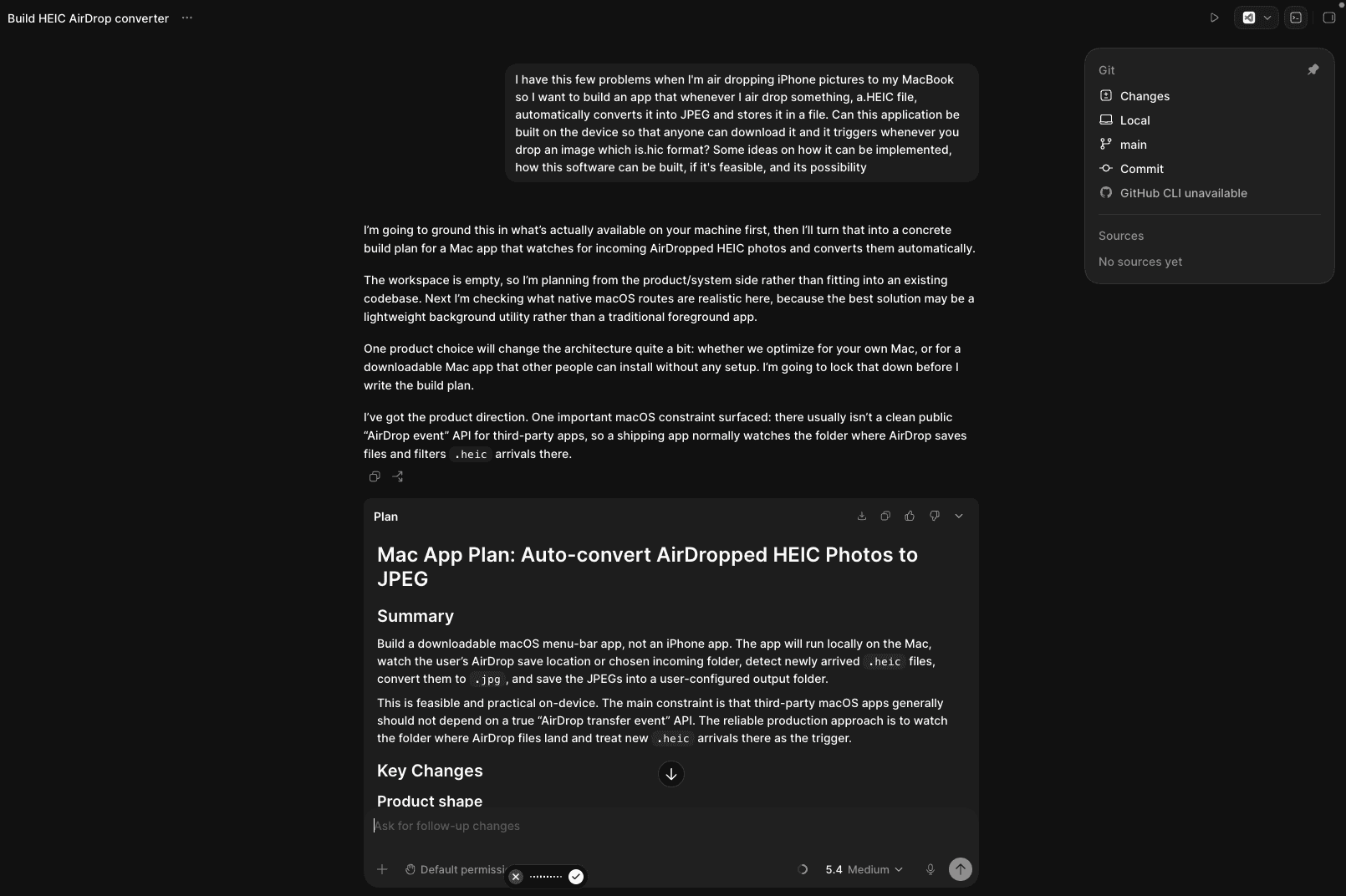
The goal was not just to make the app work. It was to make the automation feel dependable enough that users could stop thinking about it.
I designed and built the product end to end, including:
the menu bar interaction model
setup and settings flows
folder monitoring behavior
local conversion pipeline
processed-file tracking
safe output handling for duplicate file names
What I built
I designed and built the product end to end, including:
the menu bar interaction model
setup and settings flows
folder monitoring behavior
local conversion pipeline
processed-file tracking
safe output handling for duplicate file names
The goal was not just to make the app work. It was to make the automation feel dependable enough that users could stop thinking about it.
If you want to try it:
https://github.com/anavekaraditya/heic2jpg/releases/tag/v0.1.0-beta1
Why this belongs in the AI Lab
Dropline is not “AI-powered” in the product sense. The shipped experience does not depend on AI features.
What makes it an AI Lab project is the way it was built.
I used AI as a development partner to:
move faster from product idea to implementation
explore native macOS approaches without getting blocked by platform friction
debug edge cases more quickly
stay focused on product behavior instead of boilerplate
Outcomes
Outcomes
Dropline turns a recurring compatibility problem into an invisible background workflow.
It is a small utility, but it represents a bigger point about how I like to build:
Dropline turns a recurring compatibility problem into an invisible background workflow.
It is a small utility, but it represents a bigger point about how I like to build:
start from real user friction
define the trust model clearly
ship the smallest complete product
use AI to accelerate execution without outsourcing product judgment
start from real user friction
define the trust model clearly
ship the smallest complete product
use AI to accelerate execution without outsourcing product judgment
What this project shows
What this project shows
Dropline reflects the kind of designer-builder I want this lab to represent: product-led, technically hands-on, and interested in AI not as a gimmick layer, but as a force multiplier for making useful software.
Dropline reflects the kind of designer-builder I want this lab to represent: product-led, technically hands-on, and interested in AI not as a gimmick layer, but as a force multiplier for making useful software.